One Click Deployment
We recommend you to use Vercel for quick & easy deployment. Check the Vercel website for more information about it.
Deploying to Vercel
1. Push your latest updates to your github
To do so, you can either use GitHub GUI or shell
2. Sign in or create a new account in Vercel
Go to Vercel and create a new account, or sign in in your account, if you have one.
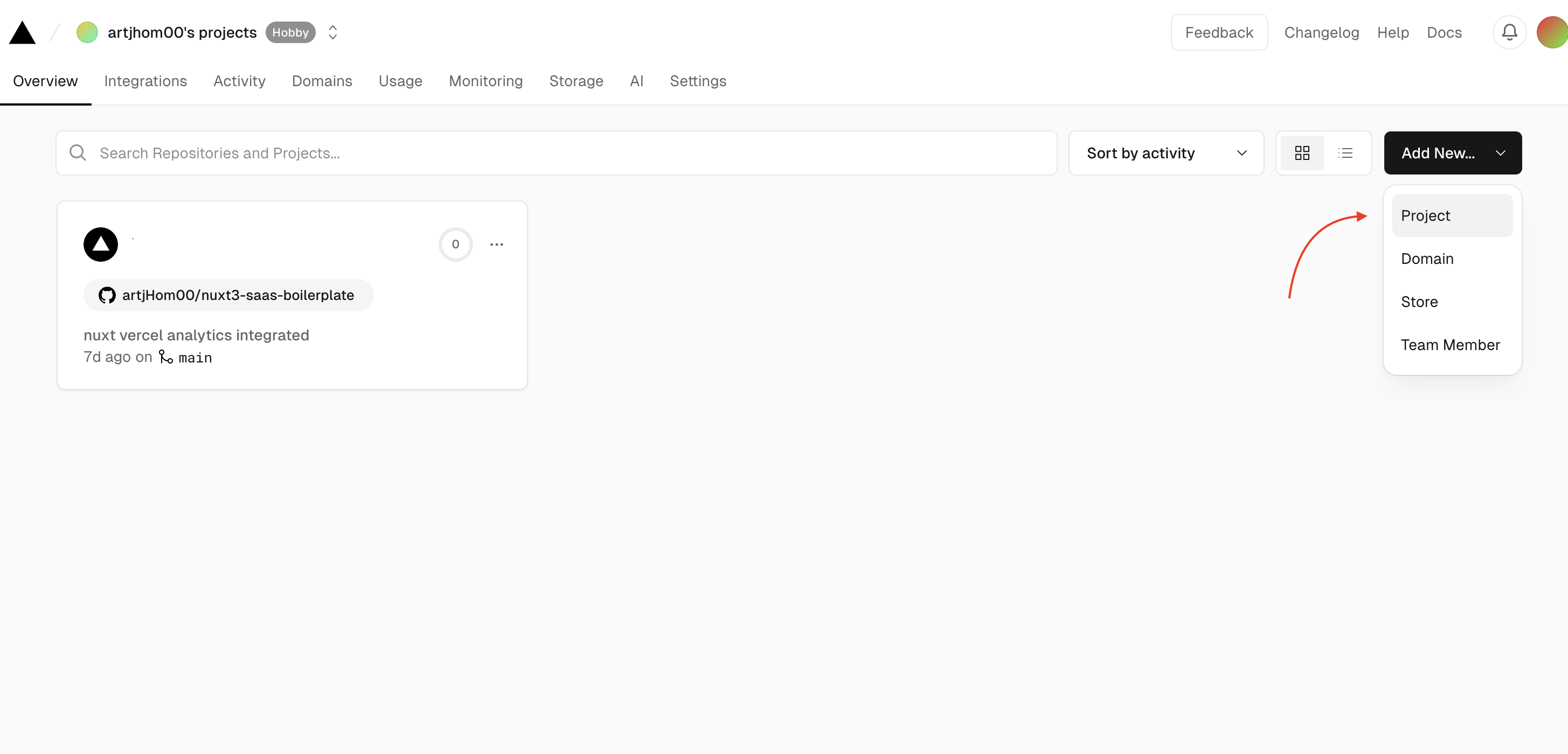
3. Add a project & set up .env variable
Go to you dashboard, click on Add New... button, select Project. Import your SAAS GitHub repository and set required environment variables, using a template from .env.example file
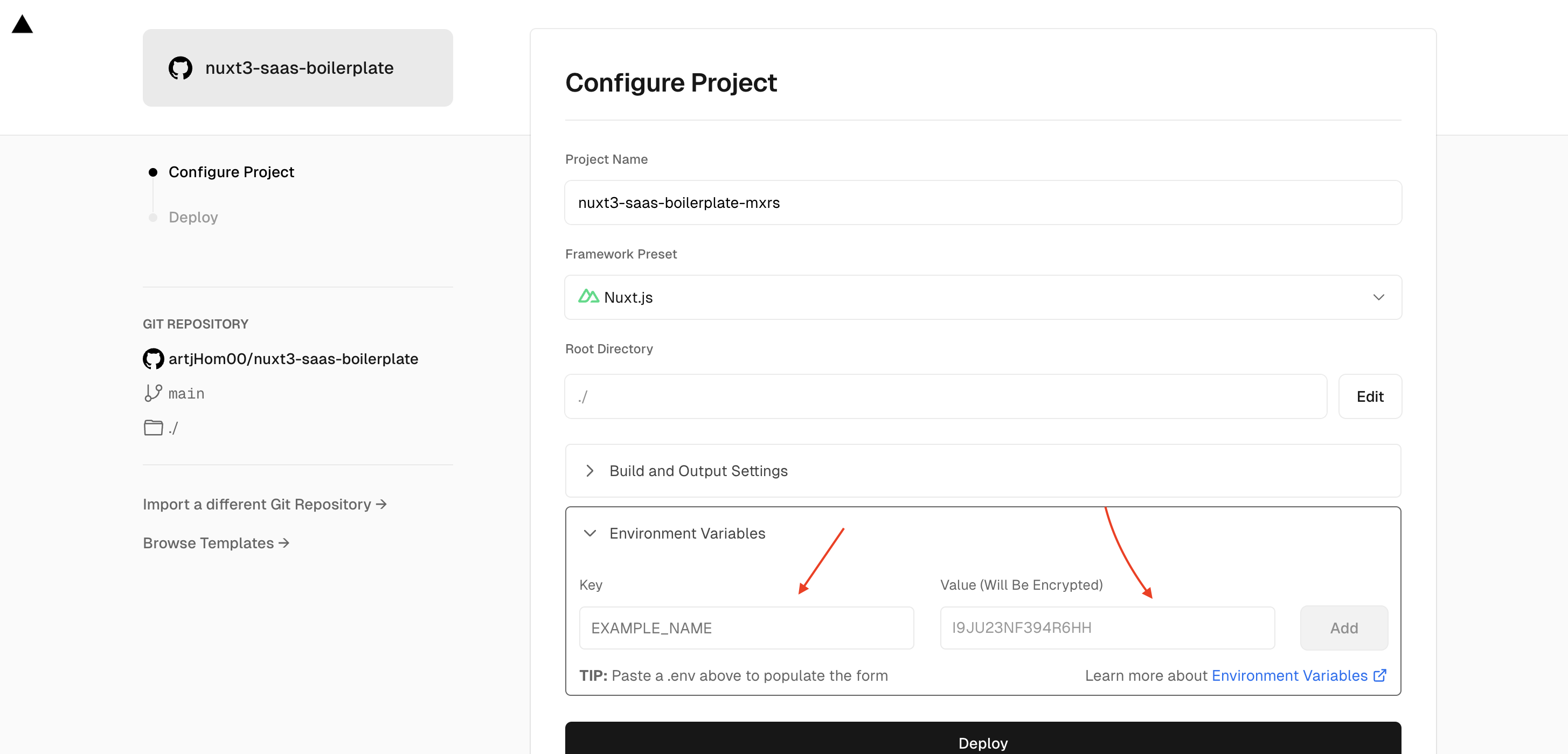
4. Deploy
Click on Deploy button & wait until the site is deployed. You will get a technical domain for free. All set!
Access analytics of your website
To access full analytics data of your website, go to Analytics tab in your dashboard.
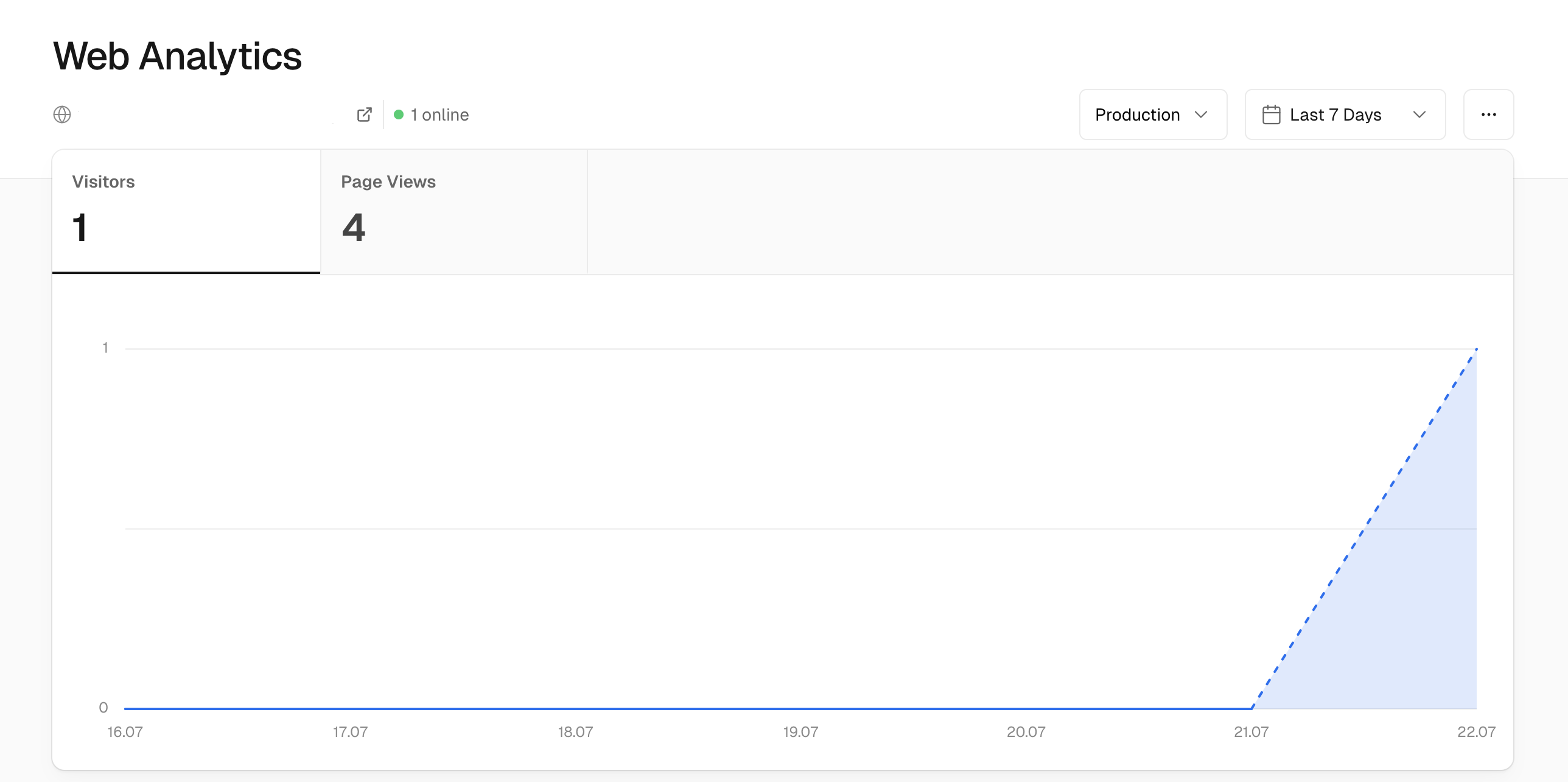
Table of Contents